
Have you ever wondered how modern websites and web applications are built? Many websites have interactive buttons, menus, forms, dashboards, and other useful features. Developers use different tools to create these features. One popular tool is Angular.
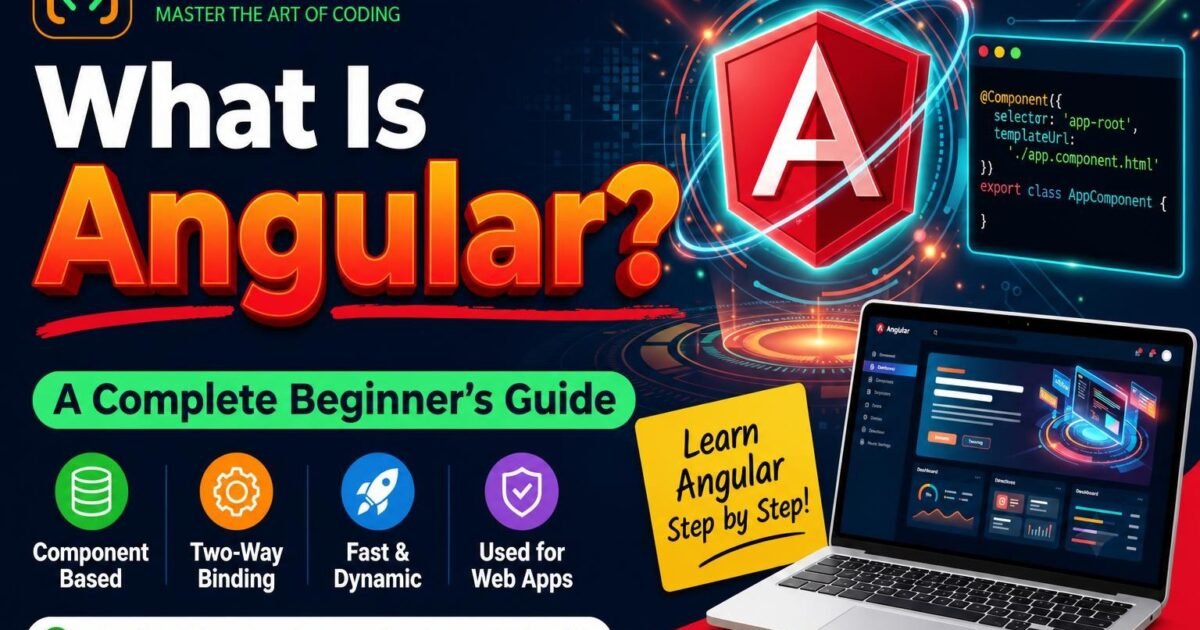
What is Angular? Angular is a web development framework used to build modern, interactive websites and web applications. It helps developers create websites with clean code and reusable parts.
If you are new to web development, do not worry. In this beginner’s guide, you will learn what Angular is, how it works, its main features, its benefits, and how you can start learning Angular.
What Is Angular?
Angular is a free, open-source web development framework maintained by Google and its community.
Developers use Angular to build web applications such as admin dashboards, online shopping websites, business applications, and other interactive websites.
Angular uses TypeScript, a programming language based on JavaScript. TypeScript adds features that help developers write and manage code more easily.
For example, imagine you want to build an online shopping website. The website may have a login page, a product list, a shopping cart, and an order page. Angular helps you build and manage these different parts of the application.
In simple words, Angular makes it easier to build large and interactive web applications.
What Is Angular Used For?
Angular is used to build different types of web applications.
Here are some common examples:
- Business websites: Websites used by companies to manage their daily work.
- Admin dashboards: Applications that display reports, charts, and business information.
- E-commerce applications: Online shopping websites with products, carts, and order management.
- Educational platforms: Websites where students can access courses, lessons, and tests.
- Banking applications: Web applications that help users access banking services.
- Customer management systems: Applications used to manage customers and business activities.
Angular is especially useful when an application has many pages, forms, features, and reusable components.
How Does Angular Work?
Angular helps developers divide a website into smaller, manageable parts called components.
Each component can control a specific part of a website. For example, a website may have a header component, a menu component, a login component, and a footer component.
Angular brings these components together to create a complete web application.
Let’s understand this with a simple example.
Imagine you are creating a student management system. You may need the following components:
- Header component
- Student list component
- Student registration component
- Student details component
- Footer component
Each component has its own responsibility. This makes the application easier to understand, update, and maintain.
Angular also provides tools for handling user input, displaying data, moving between pages, and connecting to backend services.
Main Features of Angular
Angular provides many useful features for web developers. Let’s understand the most important ones in simple English.
1. Components
Components are the building blocks of an Angular application.
A component usually contains three main parts:
- HTML: Defines what users see on the screen.
- CSS: Controls how the content looks.
- TypeScript: Controls the component’s logic and behaviour.
For example, a login page can be one component, and a dashboard can be another component.
2. Data Binding
Data binding connects information in your TypeScript code with the content displayed on your website.
For example, if a user’s name is stored in your application, Angular can display that name on the screen.
When the data changes, Angular can update the displayed content automatically in supported binding scenarios.
3. Directives
Directives help developers change how HTML elements behave or appear.
For example, Angular provides @if to display content based on a condition and @for to display a list of items.
These features help developers create dynamic web pages.
4. Routing
Routing allows users to move between different pages or views in an application.
For example, an application may have these pages:
- Home
- About
- Services
- Login
- Dashboard
Angular Router helps developers manage navigation between these views without needing a full browser-page reload for every navigation.
5. Services and Dependency Injection
Services help developers keep shared logic separate from components.
For example, a service can fetch student information from a server or manage information used by different components.
Dependency injection helps Angular provide the services that different parts of the application need.
6. Forms
Angular provides tools for creating and managing forms.
Developers can use Angular forms to build login pages, registration pages, contact forms, and data entry forms.
Angular supports template-driven forms and reactive forms.
7. HTTP Client
Angular provides an HTTP Client for communicating with backend APIs.
For example, an Angular application can request product information from a server and display the results to users.
This is useful when building applications that work with databases through a backend.
8. TypeScript Support
Angular uses TypeScript, which supports features such as type checking and interfaces.
These features can help developers identify certain coding mistakes and manage larger projects more easily.
What Are the Benefits of Angular?
Angular offers several benefits for web development.
1. Reusable code: Developers can reuse components in different parts of an application.
2. Organized structure: Angular provides a structured way to organize application code.
3. Easy maintenance: A well-organized Angular application can be easier to update and maintain.
4. Built-in tools: Angular includes tools for routing, forms, HTTP communication, and more.
5. Suitable for large applications: Angular provides features that help teams develop and maintain complex web applications.
6. Strong developer community: Developers can find official documentation, tutorials, and community resources to help them learn Angular.
However, beginners may need some time to understand TypeScript, components, services, and Angular’s overall structure.
Angular vs React: What Is the Difference?
Angular and React are popular choices for building modern web applications, but they are not the same.
| Feature | Angular | React |
|---|---|---|
| Type | Web development framework | JavaScript library |
| Main language | TypeScript | JavaScript or TypeScript |
| Maintained by | Google and its community | Meta and its community |
| Main building block | Components | Components |
| Routing | Angular Router is available | Commonly added through a routing library |
| Learning | May require learning more concepts initially | Often easier to start with for simple interfaces |
Angular provides an integrated set of tools for building applications. React focuses on building user interfaces and allows developers to choose additional libraries as needed.
Which one should you learn?
Choose Angular if you want to learn a structured framework with many built-in tools. Choose React if you want to focus on building user interfaces and prefer more flexibility in selecting your tools.
Both are useful technologies. The best choice depends on your goals and the type of projects you want to build.
What Should You Learn Before Angular?
You do not need to be an expert programmer before learning Angular. However, learning the basics first will make your journey easier.
Here is a recommended learning order:
Step 1: HTML
Learn how to create headings, paragraphs, forms, buttons, and website layouts.
Step 2: CSS
Learn how to add colours, spacing, borders, responsive layouts, and other styles to your website.
Step 3: JavaScript
Learn variables, functions, arrays, objects, conditions, loops, and basic DOM concepts.
Step 4: TypeScript
Learn types, functions, interfaces, classes, and modules.
Step 5: Angular
Start learning components, templates, data binding, directives, services, routing, and forms.
Step 6: API integration
Learn how to connect Angular applications to backend APIs and display data from a server.
Step 7: Projects
Build small projects such as a to-do list, student registration form, expense tracker, and admin dashboard.
Following this order will help you build a strong foundation in frontend development.
How to Install Angular
You can start learning Angular on your computer. You will need Node.js, npm, and a code editor such as Visual Studio Code.
Follow these steps.
Step 1: Install Node.js
Visit the official Node.js website:
Download and install a suitable supported version of Node.js. npm is included with the installation.
Step 2: Check Your Installation
Open your terminal or command prompt and run these commands:
node -v
npm -v
These commands display the installed versions of Node.js and npm.
Step 3: Install Angular CLI
Angular CLI is a command-line tool that helps you create, run, test, and build Angular applications.
Run this command:
npm install -g @angular/cliStep 4: Create an Angular Project
Run the following command:
ng new my-first-angular-appFollow the questions shown in your terminal to configure your project.
Step 5: Open Your Project
Move into the project folder:
cd my-first-angular-appStep 6: Run Your Angular Application
Run this command:
ng serve --openAngular will start a development server and open your application in your browser when possible. The default local address is usually http://localhost:4200/.
Congratulations! You have created your first Angular application.
For installation instructions and the latest requirements, visit the official Angular website: https://angular.dev/
Your First Simple Angular Example
Let’s understand a very small Angular example.
Imagine you want to display a welcome message on your website.
In a component’s TypeScript file, you can define a property:
export class App {
  message = 'Welcome to Angular!';
}
In the component’s HTML template, you can display that message:
<h1>{{ message }}</h1>The message property stores the text, and {{ message }} displays its value in the template.
When the component is rendered, users will see:
Welcome to Angular!
This is a simple example of Angular interpolation, which is one form of data binding. Actual generated projects may use a different class name depending on their structure.
Best Angular Projects for Beginners
The best way to learn Angular is to practise by building projects.
Here are five beginner-friendly project ideas.
1. To-Do List Application
Create an application where users can add, view, complete, and delete tasks.
You will practise components, events, and data binding.
2. Student Registration Form
Build a form to collect student names, email addresses, and course details.
You will practise Angular forms and input validation.
3. Expense Tracker
Create a simple application to record income and expenses.
You will practise working with arrays, calculations, and displaying data.
4. Weather Application
Build an application that displays weather information using a weather API.
You will practise HTTP requests and API integration.
5. Admin Dashboard
Create a dashboard with summary cards, tables, menus, and charts.
You will practise routing, reusable components, and organizing a larger interface.
Start with small projects. Once you understand the basics, gradually build more advanced applications.
Is Angular Good for Beginners?
Yes, Angular can be a good choice for beginners who want to become frontend developers.
However, Angular has more concepts to learn than basic HTML, CSS, and JavaScript. You will need to understand TypeScript, components, templates, services, and routing.
Do not try to learn everything in one day. Learn one concept at a time and practise it with a small example.
If you study regularly and build projects, you can gradually improve your Angular skills.
Frequently Asked Questions About Angular
1. What is Angular in simple words?
Angular is a web development framework that helps developers build interactive websites and web applications.
2. Is Angular free to use?
Yes. Angular is open-source software and is available for free.
3. Is Angular a programming language?
No. Angular is a framework. It uses TypeScript, which is based on JavaScript.
4. Is Angular better than React?
Neither is always better. Angular provides an integrated framework with many built-in tools, while React focuses on user interfaces and offers flexibility in choosing additional libraries.
5. Can I learn Angular without JavaScript?
It is possible to start exploring Angular without knowing much JavaScript, but learning JavaScript first is strongly recommended. It will make TypeScript and Angular easier to understand.
6. How long does it take to learn Angular?
The time depends on your existing knowledge and practice. Someone who already knows HTML, CSS, JavaScript, and TypeScript may learn the basics in a few weeks. Becoming comfortable with real-world projects can take several months.
7. What is Angular CLI?
Angular CLI is a command-line tool used to create, develop, test, and build Angular applications.
8. Can I get a job after learning Angular?
Learning Angular can help you prepare for frontend developer roles. However, employers may also expect HTML, CSS, JavaScript, TypeScript, API integration, Git, and practical project experience.
Conclusion
Angular is a powerful web development framework for building modern and interactive web applications. It provides useful features such as components, routing, forms, services, and TypeScript support.
If you are a beginner, start by learning HTML, CSS, JavaScript, and TypeScript. Then move on to Angular and practise with small projects.
Remember, you do not need to understand everything at once. Keep learning, keep practising, and build projects that solve real problems.