
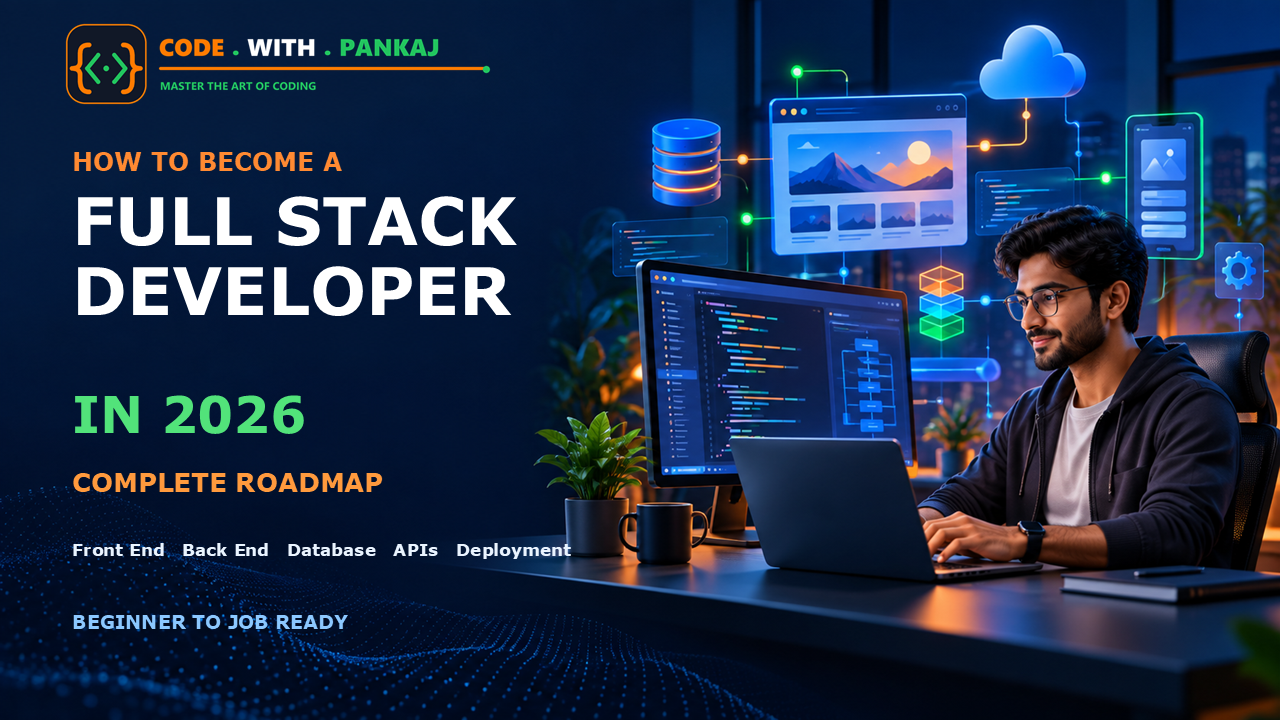
Web development is changing quickly. Businesses, startups, schools, hospitals, banks, and government departments now depend on websites and web applications. Because of this growth, skilled full stack developers continue to be valuable in 2026.
If you want to become a full stack developer but do not know where to begin, this roadmap is for you.
In this guide, you will learn what full stack development is, which technologies you should study, what projects you should build, how long learning may take, and how you can prepare yourself for a job or freelance work.
What Is a Full Stack Developer?
A full stack developer is someone who can work on both the front end and the back end of a web application.
The front end is the part of a website that users can see and interact with. It includes pages, buttons, menus, forms, images, dashboards, and animations.
The back end works behind the website. It manages application logic, users, passwords, databases, payments, files, emails, and other important operations.
A full stack developer usually understands:
- Front-end development
- Back-end development
- Databases
- APIs
- Version control
- Testing
- Deployment
- Basic security
- AI-assisted development
You do not need to master everything at once. The correct approach is to learn one subject at a time and build small projects after every stage.
What Does a Full Stack Developer Do?
A full stack developer may perform different tasks depending on the company and project.
Common responsibilities include:
- Creating responsive website layouts
- Developing registration and login pages
- Connecting forms to a database
- Creating admin dashboards
- Building and using APIs
- Managing user authentication
- Writing database queries
- Fixing bugs
- Improving website performance
- Protecting applications from common security risks
- Uploading applications to a live server
- Maintaining and updating existing applications
For example, imagine that you are building an e-commerce website. The front end displays products, categories, prices, and the shopping cart. The back end saves customers, orders, payments, and inventory in a database.
A full stack developer can work on both sides of this application.
Is Full Stack Development a Good Career in 2026?
Yes. Full stack development can still be a strong career option in 2026, but simply watching tutorials is not enough.
Companies need developers who can understand a problem, create a practical solution, use Git, work with APIs, handle databases, test their code, and deploy a working application.
AI tools can help developers write code, explain errors, prepare tests, and generate documentation. However, AI does not replace the need to understand programming fundamentals.
A developer who understands the code can check AI-generated solutions, identify security problems, fix errors, and improve performance. Therefore, you should use AI as an assistant—not as a replacement for learning.
Complete Full Stack Developer Roadmap for 2026
Step 1: Understand How the Web Works
Before learning frameworks, understand the basic working of the internet.
Learn these concepts:
- What is a website?
- What is a web application?
- How does a browser work?
- What are a client and a server?
- What is a domain name?
- What is web hosting?
- What are HTTP and HTTPS?
- What is a URL?
- What is DNS?
- What happens when you open a website?
- What is an API?
- What are request and response?
You do not need deep networking knowledge at this stage. Your goal is to understand how a browser communicates with a server and receives website data.
Step 2: Learn HTML
HTML stands for HyperText Markup Language. It provides the structure of a webpage.
HTML is used to create headings, paragraphs, links, images, tables, forms, and other page elements.
Start with:
- Basic HTML document structure
- Headings and paragraphs
- Links and images
- Lists
- Tables
- Forms
- Input fields
- Audio and video
- Semantic HTML
- Meta tags
- Accessibility basics
Semantic HTML means using meaningful elements such as header, nav, main, section, article, and footer.
It makes your website easier to understand for browsers, search engines, screen readers, and other developers.
MDN’s current web-development curriculum also treats semantic HTML, CSS, JavaScript, accessibility, responsive design, and version control as important foundational skills.
HTML Practice Projects
Build these small projects:
- Personal profile page
- Resume webpage
- Contact form
- Product details page
- Blog article page
- Simple registration form
Do not move to a framework before you can create a basic webpage without copying every line from a tutorial.
Step 3: Learn CSS
CSS stands for Cascading Style Sheets. It controls the appearance and layout of a website.
Learn the following topics:
- CSS selectors
- Colors and backgrounds
- Fonts and text formatting
- Margin, padding, and borders
- CSS box model
- Width and height
- Display properties
- Positioning
- Flexbox
- CSS Grid
- Media queries
- Responsive design
- Transitions
- Transformations
- Basic animations
- CSS variables
Responsive design is especially important. Your website should work properly on mobile phones, tablets, laptops, and large desktop screens.
CSS Practice Projects
Create:
- Responsive landing page
- Login and registration page
- Pricing section
- Product cards
- Responsive navigation bar
- Personal portfolio
- Admin dashboard layout
You can learn Bootstrap or Tailwind CSS after understanding normal CSS. These tools can speed up development, but they should not replace your CSS knowledge.
Step 4: Learn JavaScript Properly
JavaScript adds logic and interactivity to webpages. It can validate forms, change content, call APIs, create animations, and update a page without reloading it.
Start with these fundamentals:
- Variables
- Data types
- Operators
- Conditions
- Loops
- Functions
- Arrays
- Objects
- Scope
- Events
- DOM manipulation
- Form validation
- Error handling
- JSON
- Local storage
- ES modules
- Promises
- Async and await
- Fetch API
Do not rush through JavaScript. It is one of the most important parts of modern web development.
JavaScript Practice Projects
Build:
- Calculator
- Digital clock
- To-do list
- Quiz application
- Expense tracker
- Weather application using an API
- Notes application
- Form validation system
- Product filter and search
- Shopping cart
Try to build each project yourself before checking a complete solution.
Step 5: Learn Git and GitHub
Git helps you track changes in your code. GitHub allows you to store repositories online, collaborate with other developers, and display your projects.
Learn these commands and concepts:
- Create a Git repository
- Check file status
- Add files
- Commit changes
- View commit history
- Create branches
- Merge branches
- Handle simple merge conflicts
- Push code to GitHub
- Pull changes
- Clone a repository
- Create a
.gitignorefile - Write a proper README file
Upload your important practice projects to GitHub. Employers and clients may check your GitHub profile to understand how you work.
Never upload passwords, API keys, database credentials, or secret configuration files to a public repository.
Step 6: Learn TypeScript
TypeScript is JavaScript with additional type-checking features. It can help developers find certain mistakes before running the application.
Learn:
- Basic data types
- Arrays and objects
- Functions
- Optional properties
- Interfaces
- Type aliases
- Union types
- Classes
- Generics
- Modules
- Type narrowing
If you want to learn Angular, TypeScript is especially important. Even if you choose another framework, basic TypeScript knowledge can make your code easier to understand and maintain.
Step 7: Choose One Front-End Framework
After learning JavaScript, select one front-end framework or library.
Popular choices include:
- React
- Angular
- Vue
Do not try to learn all three at the same time.
Option 1: React
React is commonly used to build component-based user interfaces. Its official documentation focuses on reusable components, displaying data, handling events, managing state, and sharing data between components.
Learn:
- Components
- JSX
- Props
- State
- Events
- Conditional rendering
- List rendering
- Forms
- Hooks
- Routing
- API integration
- State management
- Authentication
- Performance basics
Option 2: Angular
Angular is a complete web framework maintained by Google. It includes first-party support for areas such as components, routing, forms, dependency injection, and application tooling.
Learn:
- Angular project structure
- Components
- Templates
- Data binding
- Directives
- Pipes
- Services
- Dependency injection
- Routing
- Reactive forms
- HTTP client
- Signals
- Route guards
- Interceptors
- Lazy loading
- Testing basics
Which One Should You Choose?
Choose React if you want a flexible ecosystem and prefer learning one part at a time.
Choose Angular if you want a structured framework for larger applications and enterprise-style projects.
Both are good choices. Your projects, problem-solving ability, and understanding of fundamentals matter more than choosing the “perfect” framework.
Step 8: Choose a Back-End Technology
The back end receives requests, processes business rules, communicates with databases, and sends responses to the front end.
Good back-end choices include:
- PHP with Laravel
- Node.js with Express or NestJS
- Python with Django or FastAPI
- C# with ASP.NET Core
- Java with Spring Boot
Choose only one back-end path in the beginning.
Recommended Path for Beginners: PHP and MySQL
PHP can be a practical option for beginners, freelancers, WordPress developers, and people using shared hosting.
Learn Core PHP first:
- PHP syntax
- Variables and data types
- Conditions and loops
- Functions
- Arrays
- Forms
- Sessions and cookies
- File uploads
- Error handling
- Object-oriented programming
- MySQL connection
- Prepared statements
- Authentication
- Basic MVC structure
After completing a few Core PHP projects, you can learn Laravel.
JavaScript Back End: Node.js
Node.js allows you to use JavaScript on the server. If you already know front-end JavaScript, it can give you a single-language development path.
Use an active Long-Term Support release for serious learning and production projects. As of September 2026, the official Node.js release information lists the 24.x line as LTS, while newer releases may still be in the Current stage. Always check the official release page before starting a production project.
Common topics include:
- Node.js basics
- Package management
- Express or NestJS
- Routing
- Middleware
- REST APIs
- Authentication
- Validation
- File uploads
- Error handling
- Database integration
Step 9: Learn Databases
A database stores application information such as users, products, orders, invoices, posts, and messages.
Start with a relational database:
- MySQL
- PostgreSQL
- SQL Server
Learn these SQL topics:
- Create databases and tables
- Insert data
- Read data
- Update data
- Delete data
- Filtering and sorting
- Primary and foreign keys
- Relationships
- Joins
- Grouping
- Aggregate functions
- Indexes
- Transactions
- Database normalization
- Backup and restore
After SQL, you may learn a NoSQL database such as MongoDB if your project needs it.
Do not choose a database only because it is popular. Select it based on your application’s data structure and requirements.
Step 10: Learn APIs
An API allows the front end, back end, mobile applications, and external services to communicate with each other.
Learn:
- REST API basics
- HTTP methods
- GET, POST, PUT, PATCH, and DELETE
- Status codes
- Request parameters
- Request body
- JSON
- Authentication tokens
- API validation
- Pagination
- Filtering
- Sorting
- Error responses
- API testing
Use tools such as Postman or Bruno to test your APIs.
Later, you can learn GraphQL, but REST APIs are a better starting point for most beginners.
Step 11: Learn Authentication and Security
Security should not be added only after finishing the project. You should consider it during development.
Learn these concepts:
- Password hashing
- Sessions
- Cookies
- Token-based authentication
- Role-based access control
- Input validation
- Output escaping
- SQL injection prevention
- Cross-site scripting prevention
- Cross-site request forgery protection
- Secure file uploads
- HTTPS
- Environment variables
- Rate limiting
- Database backups
- Secure error messages
Never save user passwords as plain text.
Also, never trust information sent by the browser. Validate important data again on the server.
Step 12: Learn Testing and Debugging
A professional developer should know how to find and fix problems.
Learn:
- Browser developer tools
- Console debugging
- Network tab
- Breakpoints
- Server logs
- API testing
- Unit testing basics
- Integration testing
- End-to-end testing
- Manual test cases
- Error monitoring
When you find an error, read the complete error message. Identify where the problem started instead of changing random code.
Step 13: Learn Deployment
A project becomes more valuable when other people can use it online.
Learn:
- Domain and DNS basics
- Shared hosting
- VPS basics
- Linux command line
- Environment variables
- Database migration
- Web servers
- SSL certificates
- Build and production configuration
- Application logs
- Backups
- Basic CI/CD
- Docker fundamentals
- Cloud deployment basics
You can start with simple shared hosting for PHP projects. For other stacks, you can use a suitable cloud platform or VPS.
Your portfolio should contain live project links whenever possible.
Step 14: Learn Basic DevOps
You do not need to become a DevOps engineer, but basic DevOps knowledge will make you a better full stack developer.
Learn:
- Linux basics
- Command-line navigation
- Process management
- Git-based deployment
- Docker fundamentals
- Environment configuration
- CI/CD concepts
- Log monitoring
- Database backups
- Basic server security
Start with deployment first. Learn advanced DevOps only when your projects require it.
Step 15: Use AI as a Development Assistant
In 2026, understanding how to work with AI coding tools is useful. You can use AI to:
- Explain difficult concepts
- Understand error messages
- Generate test cases
- Review code
- Improve documentation
- Suggest database structures
- Create sample data
- Refactor repeated code
- Find possible edge cases
However, always review AI-generated code.
Ask yourself:
- Do I understand this code?
- Is it secure?
- Does it match my project structure?
- Are passwords or secrets exposed?
- Is the database query safe?
- Have I tested the important cases?
- Can I maintain this code later?
Copying code without understanding it may help you complete a demo, but it will not make you job-ready.
Recommended Learning Stack for 2026
If you are confused by too many choices, follow one of these paths.
Path 1: Angular and PHP
This is a practical combination for structured front-end applications and PHP-based back-end development.
Learn in this order:
- HTML
- CSS
- Bootstrap
- JavaScript
- Git and GitHub
- TypeScript
- Angular
- Core PHP
- MySQL
- REST APIs
- Laravel
- Deployment
Path 2: React and Node.js
This path allows you to use JavaScript or TypeScript on both the front end and back end.
Learn:
- HTML
- CSS
- JavaScript
- Git and GitHub
- TypeScript
- React
- Node.js
- Express or NestJS
- PostgreSQL or MongoDB
- REST APIs
- Testing
- Deployment
Path 3: React and ASP.NET Core
This path can be useful for enterprise applications.
Learn:
- HTML, CSS, and JavaScript
- TypeScript
- React
- C#
- ASP.NET Core
- Entity Framework Core
- SQL Server
- Authentication
- API development
- Deployment
The best stack is the one you can learn consistently and use to build complete projects.
Projects You Should Build
Projects are more important than collecting course certificates.
Beginner Projects
- Personal portfolio website
- Responsive business website
- Calculator
- To-do list
- Quiz application
- Notes application
- Weather application
- Expense tracker
Intermediate Projects
- Blog management system
- Login and registration system
- Employee management system
- Inventory application
- Invoice generator
- Job portal
- Appointment booking system
- Learning management system
- Customer support ticket system
Advanced Full Stack Projects
- E-commerce application
- Multi-vendor marketplace
- GST reconciliation portal
- Project management system
- Construction labour reporting system
- School management system
- Subscription-based SaaS application
- Social media scheduling platform
- Real-time chat application
- Business ERP system
Each major project should contain:
- Responsive design
- User registration and login
- Role-based permissions
- Form validation
- Database operations
- Search and filtering
- Pagination
- File or image upload
- API integration
- Proper error messages
- Security measures
- Deployment
- Documentation
Building three complete projects is usually better than creating twenty unfinished projects.
A Practical 12-Month Learning Plan
Months 1–2: Web Fundamentals
Learn HTML, CSS, responsive design, and basic JavaScript.
Build:
- Portfolio website
- Business landing page
- Registration form
Months 3–4: JavaScript
Study JavaScript deeply and practise DOM manipulation, APIs, promises, and async/await.
Build:
- To-do application
- Expense tracker
- Weather application
Month 5: Git and TypeScript
Learn Git, GitHub, branches, pull requests, README files, and TypeScript basics.
Convert one JavaScript project into TypeScript.
Months 6–7: Front-End Framework
Choose Angular or React.
Build:
- Admin dashboard
- Product management interface
- Blog front end
Months 8–9: Back End and Database
Choose PHP, Node.js, ASP.NET Core, Python, or Java.
Learn database design, SQL, authentication, CRUD operations, and APIs.
Build:
- Login and registration system
- User management system
- Blog API
Month 10: Full Stack Integration
Connect the front end to the back end.
Build one complete application with authentication, forms, database operations, and role management.
Month 11: Testing, Security, and Deployment
Test the application, fix bugs, improve security, and deploy it online.
Add a live demo and proper documentation.
Month 12: Portfolio and Job Preparation
Prepare:
- Professional resume
- GitHub profile
- LinkedIn profile
- Portfolio website
- Three strong projects
- Project explanations
- Interview questions
- Basic coding problems
This timeline is only a guide. Some people may need more time, especially when learning alongside a full-time job. Consistency matters more than speed.
Suggested Daily Study Routine
If you can study for two hours per day, follow this structure:
- 20 minutes: Revise the previous topic
- 40 minutes: Learn a new concept
- 50 minutes: Write code and practise
- 10 minutes: Write notes and commit your work to GitHub
On weekends, spend extra time completing one project feature.
A simple rule is to use around 40% of your time for learning and 60% for coding practice.
How to Build a Strong Developer Portfolio
Your portfolio should be simple, fast, and easy to understand.
Include:
- Short introduction
- Technical skills
- Three to five best projects
- Live project links
- GitHub links
- Screenshots
- Technology used
- Problems solved
- Your role in each project
- Contact details
- Downloadable resume
For every project, explain:
- What problem does it solve?
- Who can use it?
- Which technologies did you use?
- What was the most difficult part?
- How did you solve that difficulty?
- What improvements will you add later?
Do not fill your portfolio with copied tutorial projects. Add your own features and design.
Common Mistakes Beginners Should Avoid
1. Learning Too Many Technologies
Do not start React, Angular, Vue, PHP, Python, and Java together.
Choose one front-end and one back-end path.
2. Watching Tutorials Without Coding
Watching a video may make a topic look easy, but real understanding develops when you write and debug the code yourself.
3. Copying Complete Projects
Use tutorials to understand concepts. After completing a tutorial, rebuild the project without watching it.
4. Ignoring JavaScript Fundamentals
Frameworks may change, but strong JavaScript fundamentals remain valuable.
5. Avoiding Errors
Errors are part of development. Read them carefully and learn how to debug them.
6. Building Only the User Interface
A full stack portfolio should also demonstrate databases, APIs, authentication, validation, security, and deployment.
7. Waiting Until You Know Everything
You will never feel that you know everything. Start building small applications as early as possible.
8. Depending Completely on AI
Use AI for support, but understand, test, and improve every important part of the generated code.
Skills Required Beyond Coding
Technical knowledge is important, but companies also look for other abilities.
Improve:
- Problem-solving
- Communication
- Documentation
- Time management
- Teamwork
- Requirement understanding
- Basic English for technical communication
- Asking clear questions
- Explaining your project simply
- Accepting and using feedback
A developer who communicates clearly and completes reliable work can be more valuable than someone who knows many technologies but cannot finish a project.
How Long Does It Take to Become a Full Stack Developer?
There is no fixed duration.
With two hours of serious daily practice, a beginner may build a solid foundation in approximately 9 to 12 months. Becoming confident enough to handle larger production applications may take longer.
Your progress will depend on:
- Previous technical knowledge
- Daily practice time
- Quality of learning
- Number of projects completed
- Debugging experience
- Consistency
- Ability to work without tutorials
Do not compare your progress with someone studying full-time. Focus on your own daily improvement.
How to Get Your First Job or Freelance Project
Start applying when you can build and explain a complete project. You do not need to wait until you know every technology.
For job preparation:
- Create a one-page resume
- Keep your GitHub profile active
- Deploy your best projects
- Prepare JavaScript and SQL fundamentals
- Practise explaining your code
- Learn basic data structures
- Apply for internships and junior roles
- Connect with developers and recruiters
- Contribute small fixes to open-source projects
For freelance work:
- Start with small business websites
- Create clear service packages
- Use a written scope of work
- Take an advance payment
- Define revision limits
- Mention hosting and maintenance separately
- Provide a realistic delivery date
- Keep regular backups
- Collect client testimonials
Your first opportunity may be small, but it can help you build experience, confidence, and credibility.
Frequently Asked Questions
Can I Become a Full Stack Developer Without a Computer Science Degree?
Yes. A degree can be helpful for some companies, but skills, projects, problem-solving ability, and communication are also important. Build a strong portfolio and be ready to explain your work.
Is Coding Difficult for Beginners?
Coding may feel difficult in the beginning because you are learning a new way of thinking. Start with small problems, practise regularly, and do not skip the basics.
Should I Learn React or Angular in 2026?
Both are useful. Choose React if you prefer flexibility and a large ecosystem. Choose Angular if you prefer a complete, structured framework. Do not learn both at the same time as a beginner.
Should I Learn PHP in 2026?
PHP can still be useful for web applications, WordPress development, freelancing, and projects hosted on common web servers. Learn modern PHP practices, database security, object-oriented programming, APIs, and a framework such as Laravel after mastering the basics.
Is Python Required for Full Stack Development?
No. Python is one possible back-end option. You can also use PHP, Node.js, C#, or Java.
Do I Need to Learn Data Structures and Algorithms?
You should understand basic arrays, strings, objects, searching, sorting, stacks, queues, and problem-solving. Advanced competitive programming is not required for every full stack role, but stronger problem-solving skills can improve your job opportunities.
Can AI Make Me a Full Stack Developer?
AI can support your learning, but it cannot practise on your behalf. You still need to understand requirements, write code, verify answers, test applications, fix bugs, and make technical decisions.
How Many Projects Should I Add to My Portfolio?
Three to five well-designed and fully working projects are enough for a beginner portfolio. Each project should demonstrate different skills.
Do I Need a Powerful Computer?
No. A normal modern computer with an SSD and at least 8 GB RAM can handle beginner web development. For heavier tools, virtual machines, mobile development, or multiple services, 16 GB or more is more comfortable.
When Should I Start Applying for Jobs?
Start applying when you can independently create, deploy, and explain at least two or three complete projects. Continue learning while applying.